01
The library.
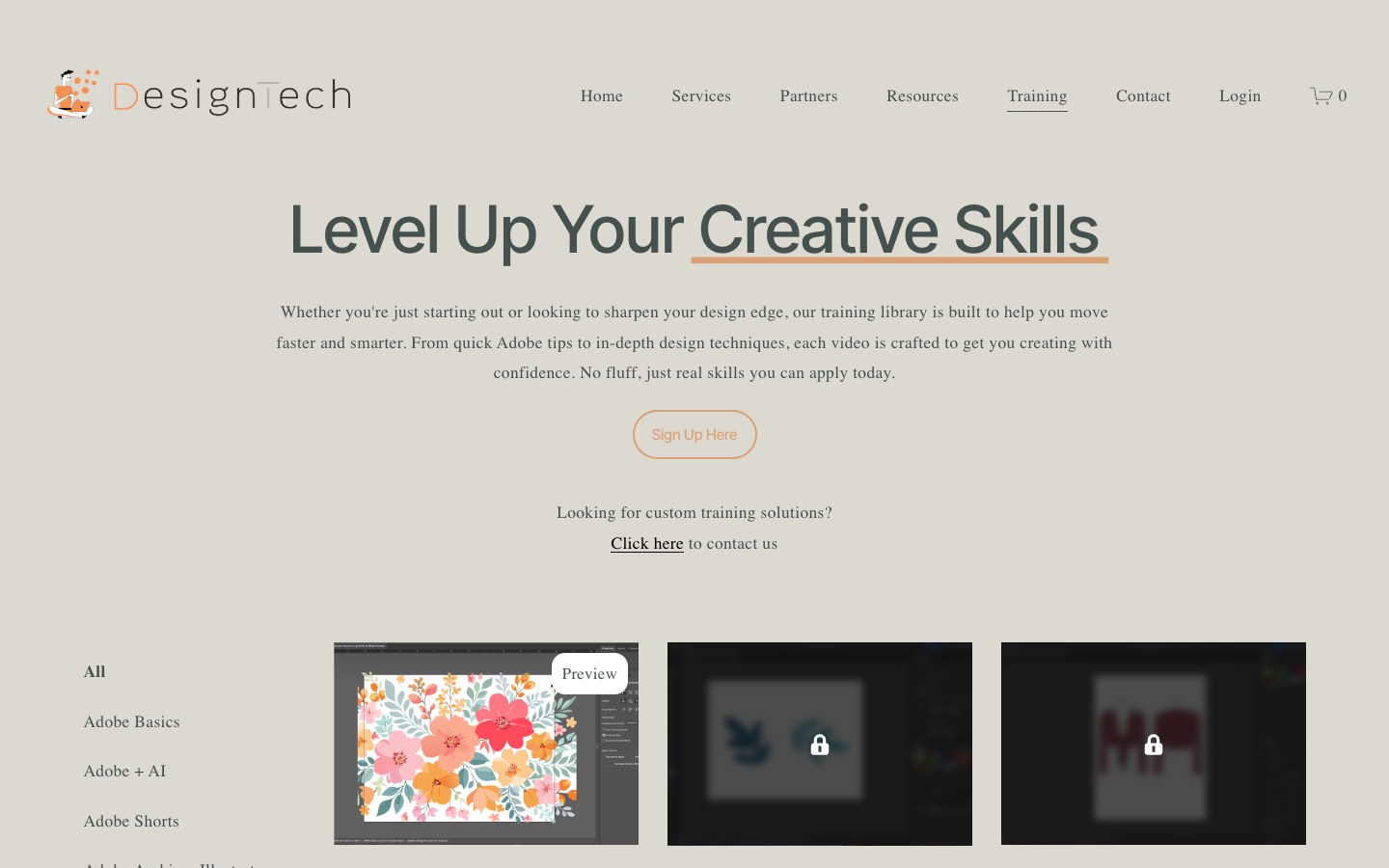
The training platform I redesigned: lessons organized by track, with a free preview up front and the rest unlocked by membership.

Designtech supports and trains fashion and creative teams on their Apple and Adobe tools.
I joined Designtech as senior AI product designer and educator. I designed the AI curriculum, redesigned the training platform and elements across the website, built out the design system in Figma and led live AI training, working alongside developers, IT and sales.
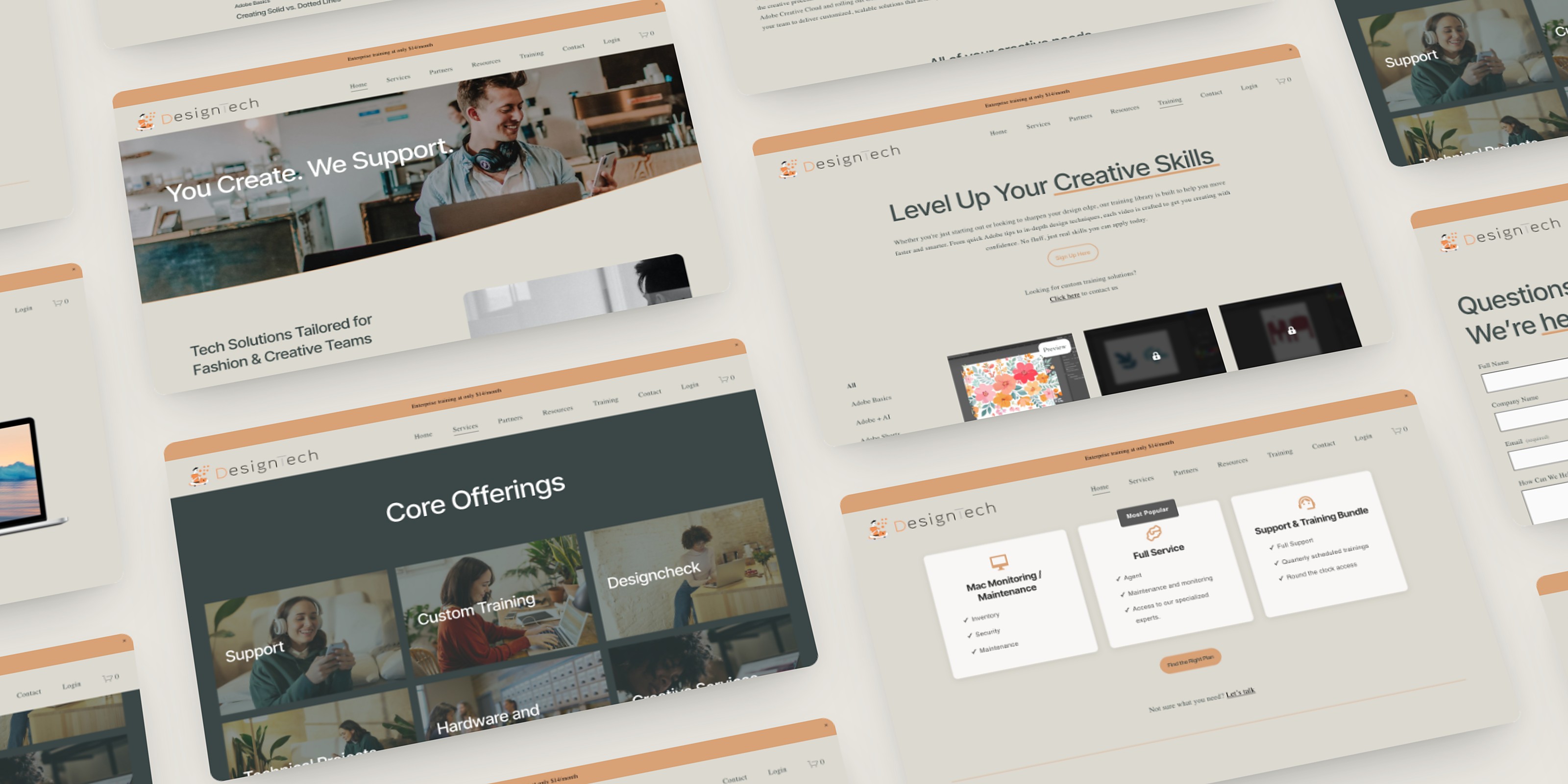
Designtech has supported fashion and creative teams for more than 20 years. As generative AI arrived in the tools those teams use every day, clients needed help learning it, and the company needed to grow to keep up with them. My job was to build the foundation for that growth: an AI curriculum and a platform to deliver it, a design system to keep the company’s work organized and consistent, and live training led by an AI specialist.
One of the challenges I was trying to solve was training. There were more clients than hours in the day for live sessions, so clients needed a way to keep learning in between. That called for a self-serve library of short, quick demos to complement the in-depth live training, with clear information architecture so every lesson is easy to find, and a content structure that could grow as new AI features shipped.
To shape the curriculum, I studied how leading companies teach their own tools: Adobe’s training videos, ChatGPT trainings and Figma’s courses. Each one informed how the Designtech lessons are structured.
| Training |  Adobe Adobe |  ChatGPT ChatGPT |  Figma Figma |  |
|---|---|---|---|---|
| Findings | ||||
| What stood out |
|
|
|
|
| What I took into Designtech |
|
|
|
|
AdobeWhat stood outChatGPTWhat stood outFigmaWhat stood outWhat stood outThe brand had a basic foundation but no system for building with it. In Figma, I turned it into a full design system with reusable components and accessible UX patterns, with peach as the accent color.
01 Overview
The visual language for Designtech's digital products and communications.
Logo

02 Colors
A warm, muted palette: slate-green text on stone and paper grounds, with peach as the single accent.
Brand accent
Text
Surfaces
03 Typography
Inter Tight for display, headings and UI, set mostly at Medium 500. Miller Display carries body copy and navigation.
04 Spacing
Built on a 4px base unit: every padding, margin and gap uses a step from this scale, so layouts stay consistent from page to page. Token names count in 4px steps (space-4 = 16px). Hover a step to highlight it.
06 Badges
The live site uses one badge: Most Popular. Suggested extensions below are labeled as such and built from the brand’s color tokens.
Live on site
Suggested: peach accent
Suggested: service tags
Suggested: status (not currently on site)
The training platform I redesigned: lessons organized by track, with a free preview up front and the rest unlocked by membership.
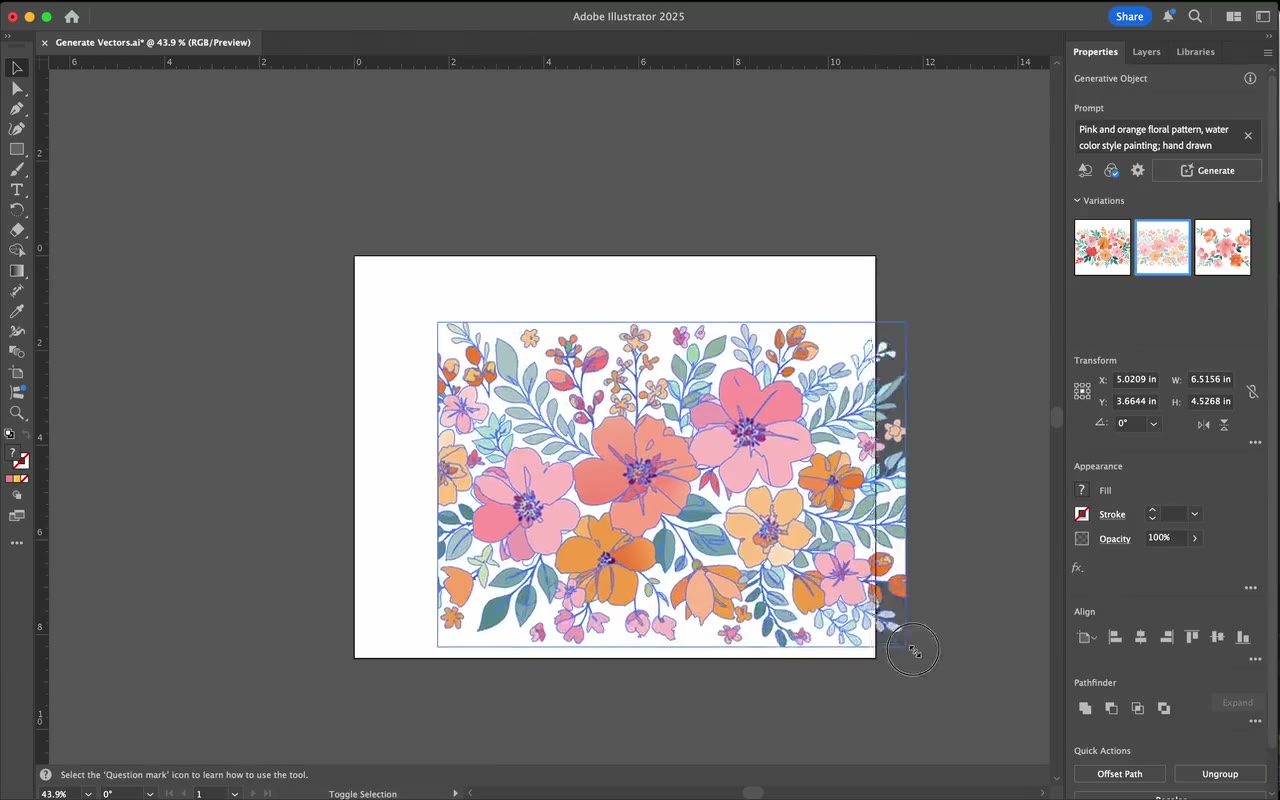
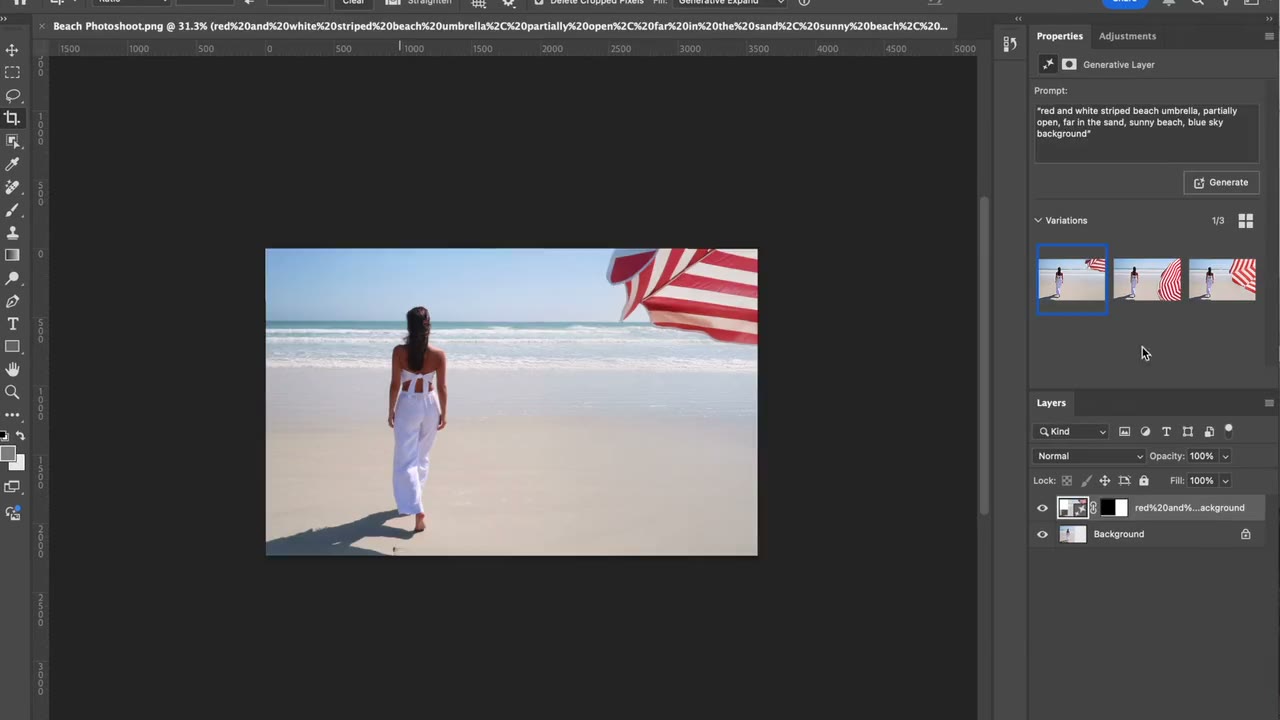
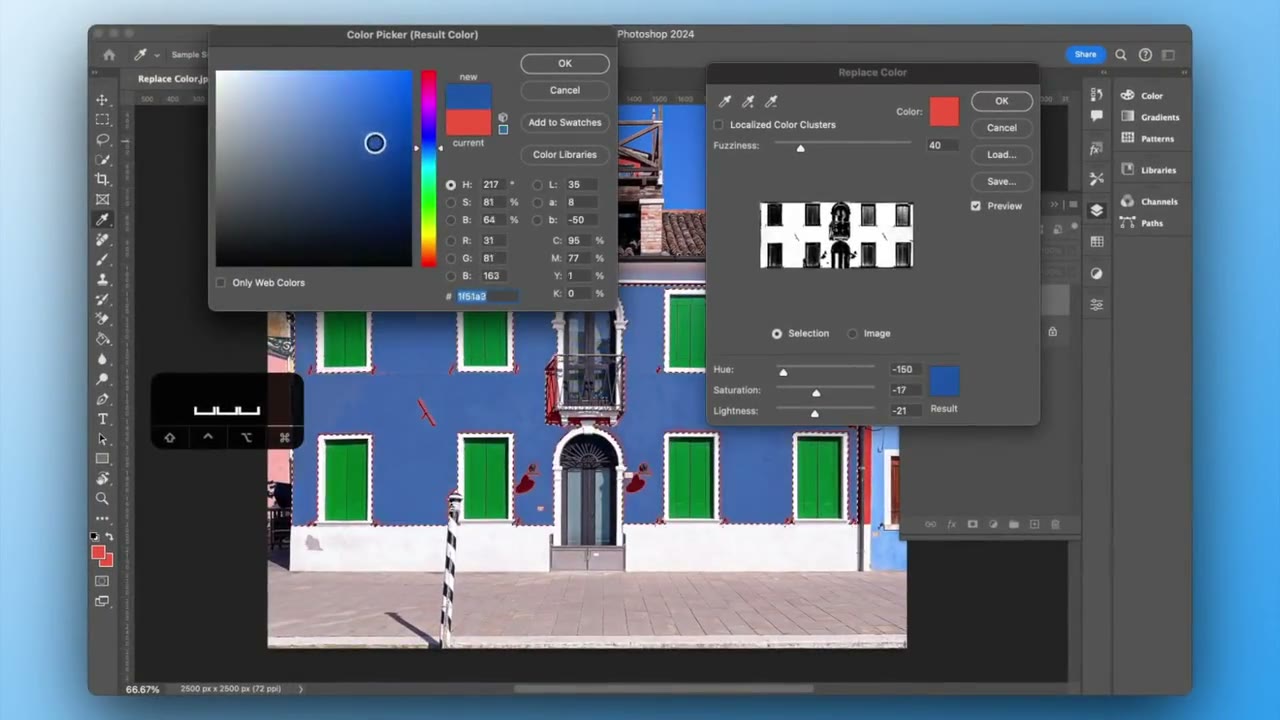
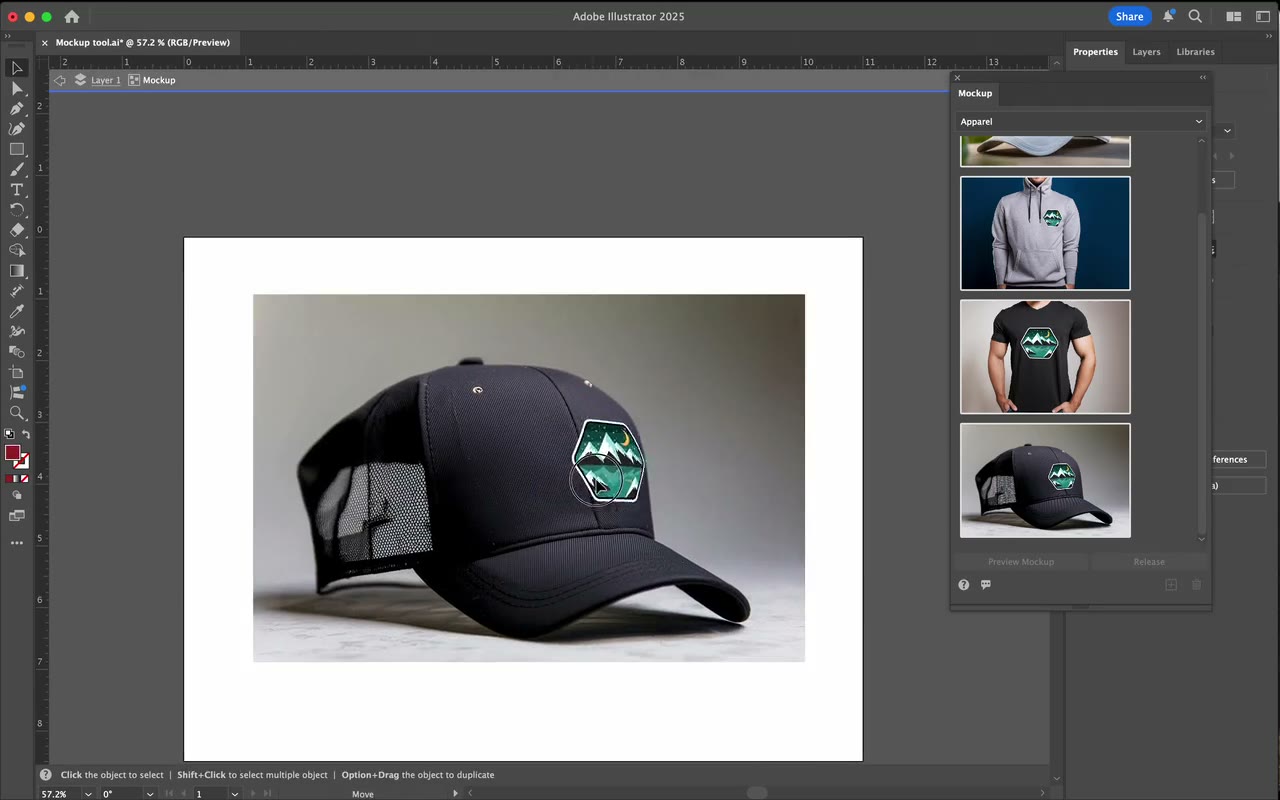
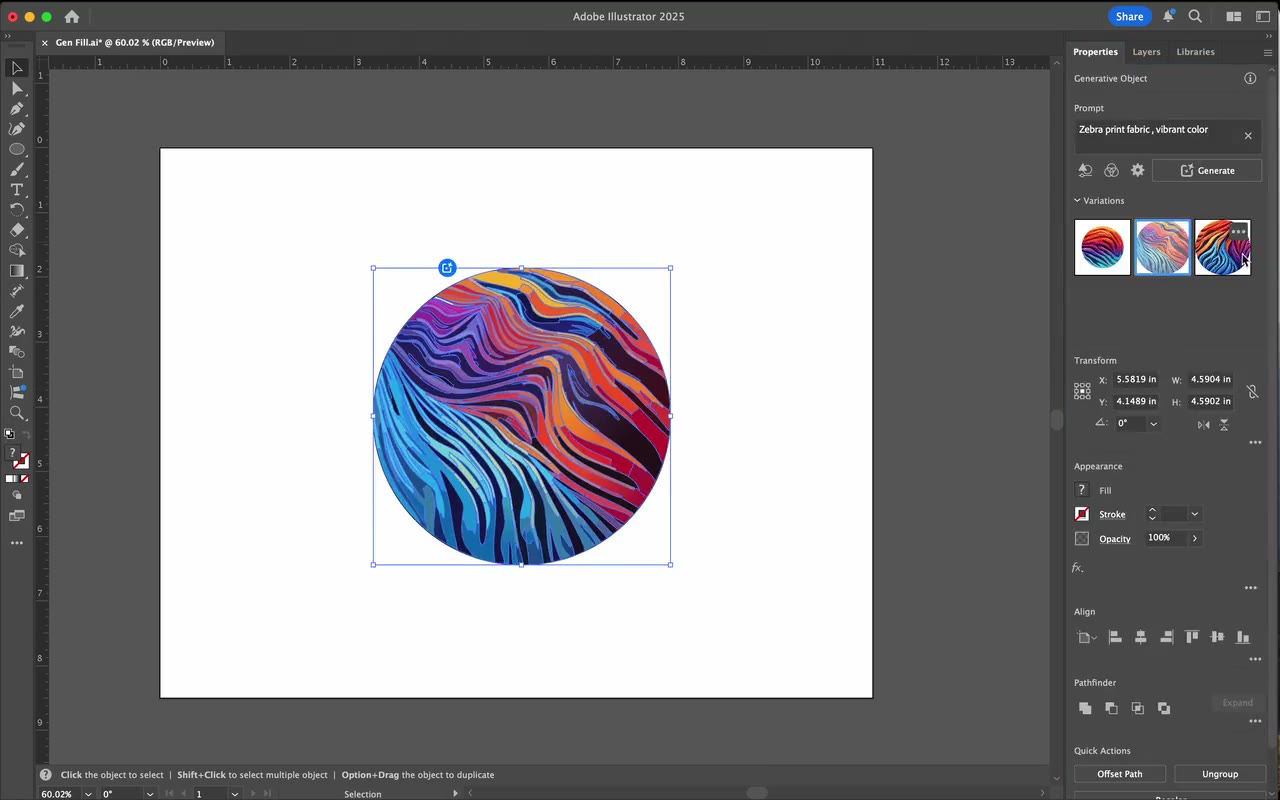
As generative AI shipped into Illustrator and Photoshop, I designed and produced a lesson for each new feature, from Text to Vector to Generative Fill.
Each lesson is a quick demo of one tool and how it fits into a real workflow, so teams can work faster with the features already in their apps.
 Preview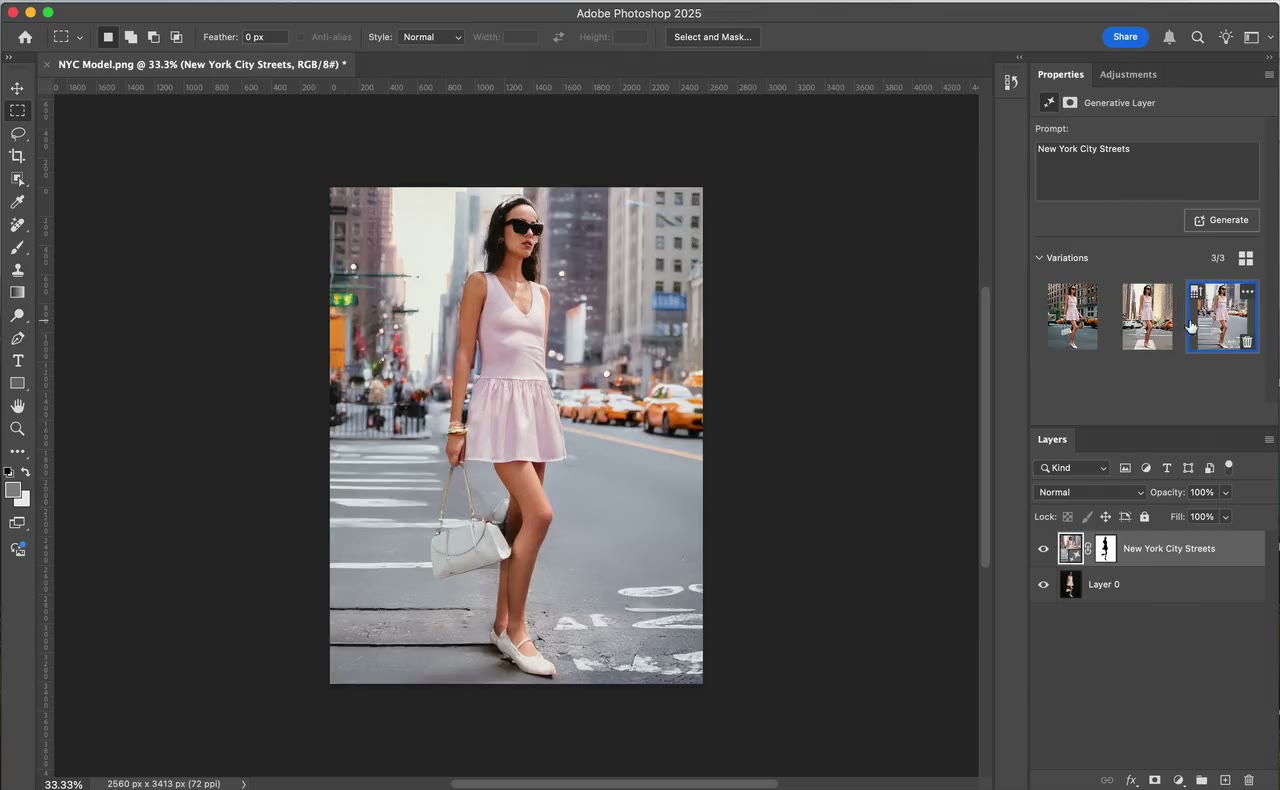
 Preview
The library. The training platform I redesigned: lessons organized by track, with a free preview up front and the rest unlocked by membership.
PreviewThe Adobe + AI track. As generative AI shipped into Illustrator and Photoshop, I designed and produced a lesson for each new feature, from Text to Vector to Generative Fill.
Inside a lesson. Each lesson is a quick demo of one tool and how it fits into a real workflow, so teams can work faster with the features already in their apps.
I led live training on AI design tools for 250+ corporate employees at 10+ enterprise companies, from graphic designers and product developers to sales teams, and set up new creative workflows with them.
 Figma AI
 Adobe Firefly
 Photoshop
 Illustrator
 Copilot
Training designers and creative professionals on AI-led tools was one of the most rewarding parts of the role. I got to watch people realize how much faster their workflows were about to become, and that excitement never got old. Teaching the tools every day also made me an expert in them, since I was always in them and practicing, and leading the sessions made me a stronger public speaker.
The hardest part of running a training platform was that new AI tools and features launched almost every day, so lessons could go out of date fast. The trick for me was staying educated myself: I kept up with new trends through Medium, podcasts and the news, so the library could keep pace with the tools.
The library keeps changing with every new AI feature, and so do the teams learning from it. Here’s where I’d take it.
Regular check-ins with each team to understand the frustrations in their workflow, then a lesson built around them.
Prompts that worked for fashion and creative teams, saved and reusable across the library.
Bring Figma AI and Copilot, which I taught live, into the on-demand library.