01
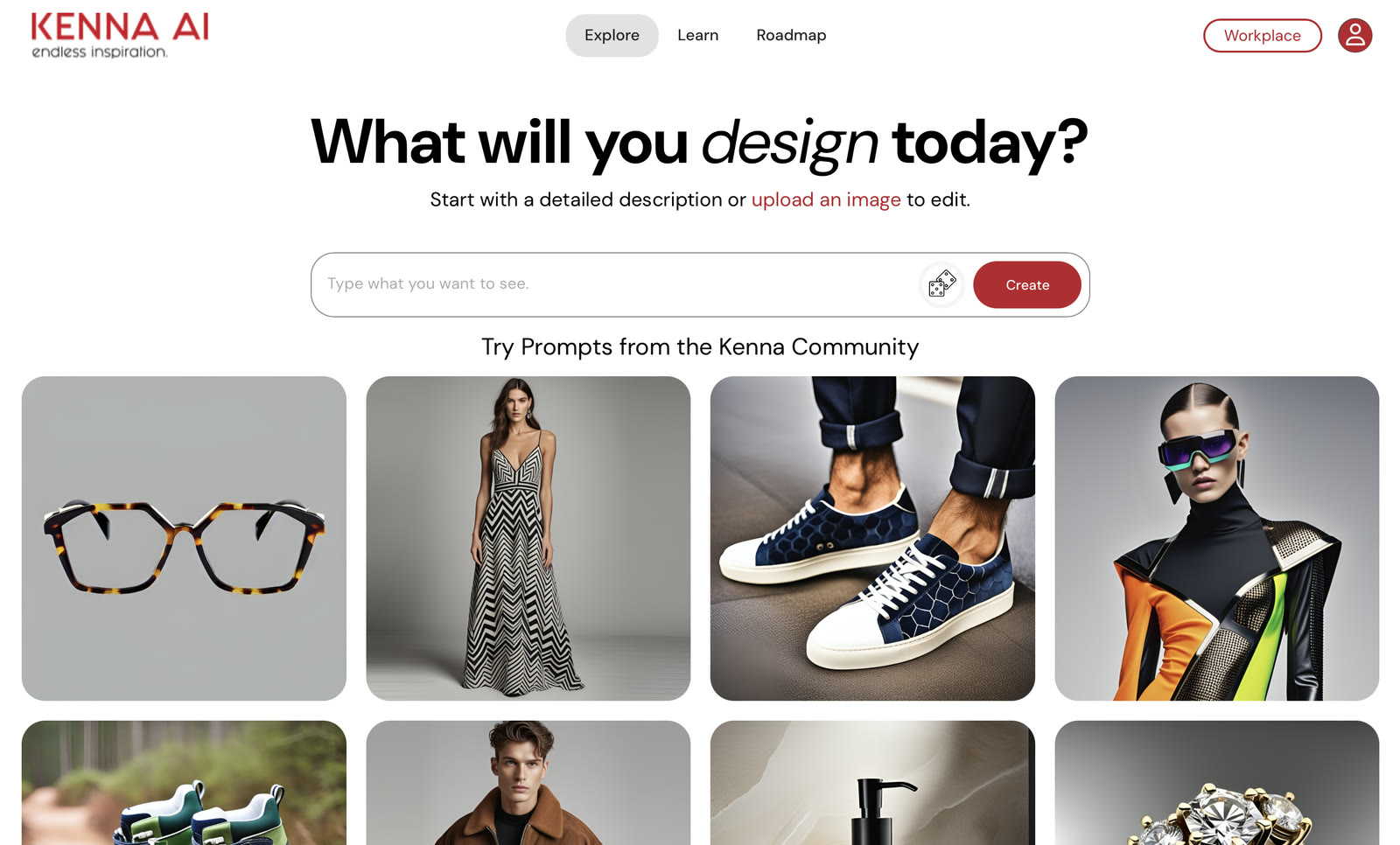
What will you design today?
I designed the home screen around a single prompt field: describe a design or upload a sketch, with community prompts to solve the blank-canvas problem.

Kenna AI turns fashion sketches and text prompts into production-ready visuals.
I was Kenna’s product designer. I researched the space, designed the core AI workflows, created the brand and design system, built the marketing site’s front end and launched it with an email program, working alongside a product manager, a project manager, a developer and our head of tech.
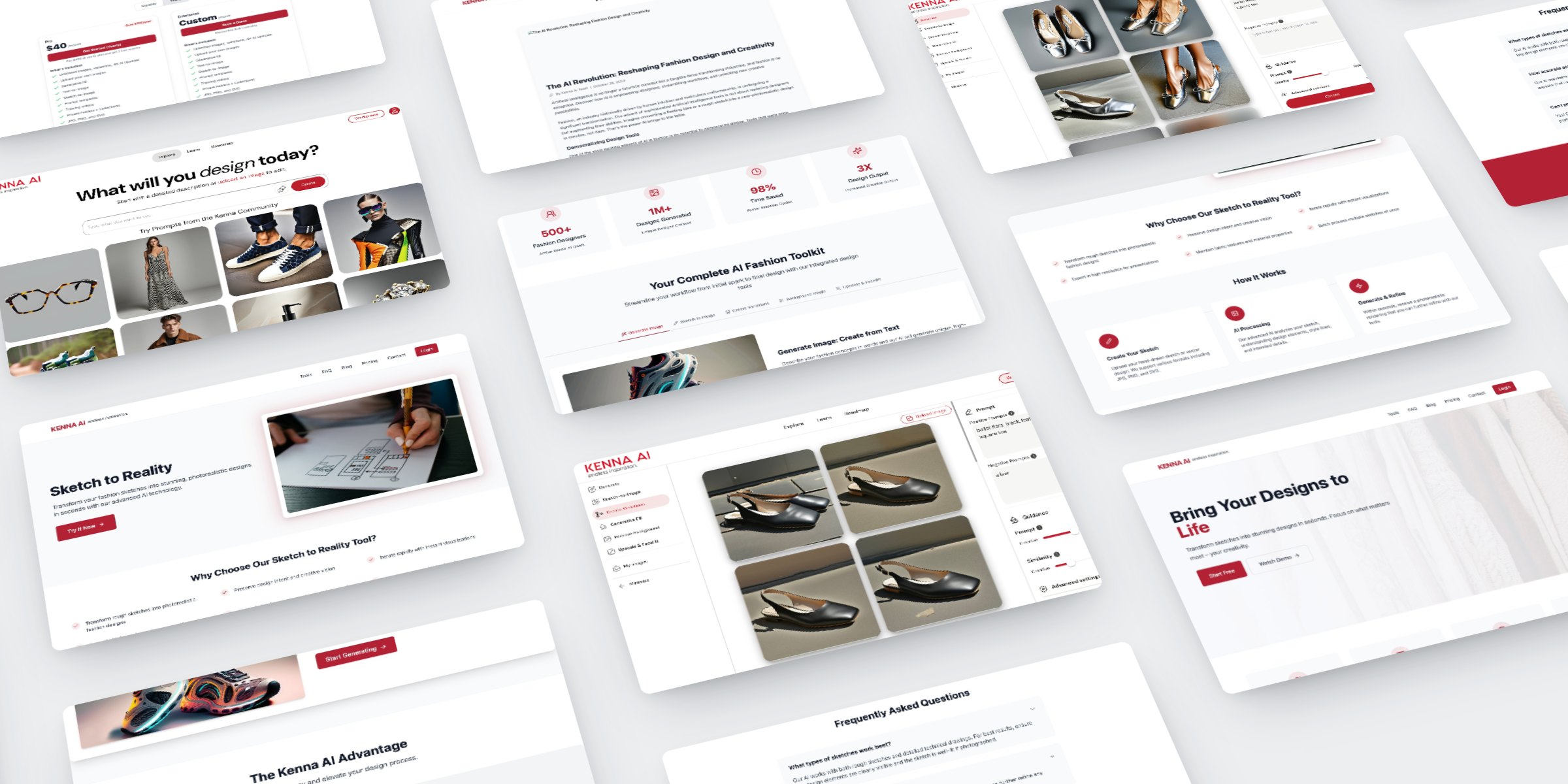
Fashion teams move a design from sketch to sample through round after round of manual iteration, and every round costs days. Kenna’s bet was that generative AI built for fashion could turn a sketch or a sentence into a production-ready visual in seconds. I was asked to design that experience for fashion designers. It was one of the most rewarding projects I’ve worked on, because I saw it through from the first idea to launch.
The designers Kenna was built for are experts in fashion, not in AI. The generative tools of the time were made for everyone: a blank prompt box, results that changed with every try, and little say over fabric, fit or detail. The challenge was to make Kenna feel as simple as typing a sentence or uploading a sketch, while keeping the controls designers need to steer the AI, from positive and negative prompts to guidance sliders and variations. If it was too simple, results felt random. With too many controls, it felt like a tool for engineers.
I ran a competitive analysis of Kenna against Adobe Express, the AI design tool designers already knew, and two fashion-focused AI tools, Raspberry AI and Resleeve. The findings shaped Kenna’s positioning and core feature set.
| Company |  Adobe Express Adobe Express |  |  | |
|---|---|---|---|---|
| Findings | ||||
| What stood out |
|
|
|
|
| What I took into Kenna |
|
|
|
|
| Features | ||||
| Fashion-specific workflow | No | Yes | No | Yes |
| Product visualization | No | Yes | Yes | Yes |
| Marketing content creation | Yes | Yes | Yes | Yes |
| Team / brand tools | Yes | No | Yes | Yes |
| Generative AI | Yes | Yes | Yes | Yes |
Adobe ExpressWhat stood outWhat stood outWhat stood outWhat stood outI explored three logo directions. The first two concepts were too busy at small sizes, so each iteration reduced detail until we landed on a clean wordmark.


I built the design system to keep every Kenna screen consistent: color, type and spacing foundations, plus buttons and badges in Kenna red.
01 Overview
The visual language for Kenna AI: one brand red for actions and AI results, on a gray scale.
Logo
02 Colors
One brand red against a gray scale. Red marks the next action and the AI's results; everything else is gray.
Brand
Text
Surfaces
03 Typography
A single system sans keeps the product fast and familiar. Hierarchy comes from weight and size, from Bold 700 headlines to Medium 500 labels.
04 Spacing
Built on Tailwind's 4px scale. Cards breathe at p-8 (32px) and sections at py-20 (80px), so dense AI results never feel crowded. Hover a step to highlight it.
06 Badges
Live on the site: pill badges for pricing. Suggested extensions below are labeled as such: the generation states an AI product needs, built from the same tokens.
Live on site
Suggested: AI generation states
Suggested: tool tags
The Workplace layout puts the tool menu, the results grid and the AI controls side by side, so designers can steer the model without leaving the canvas.
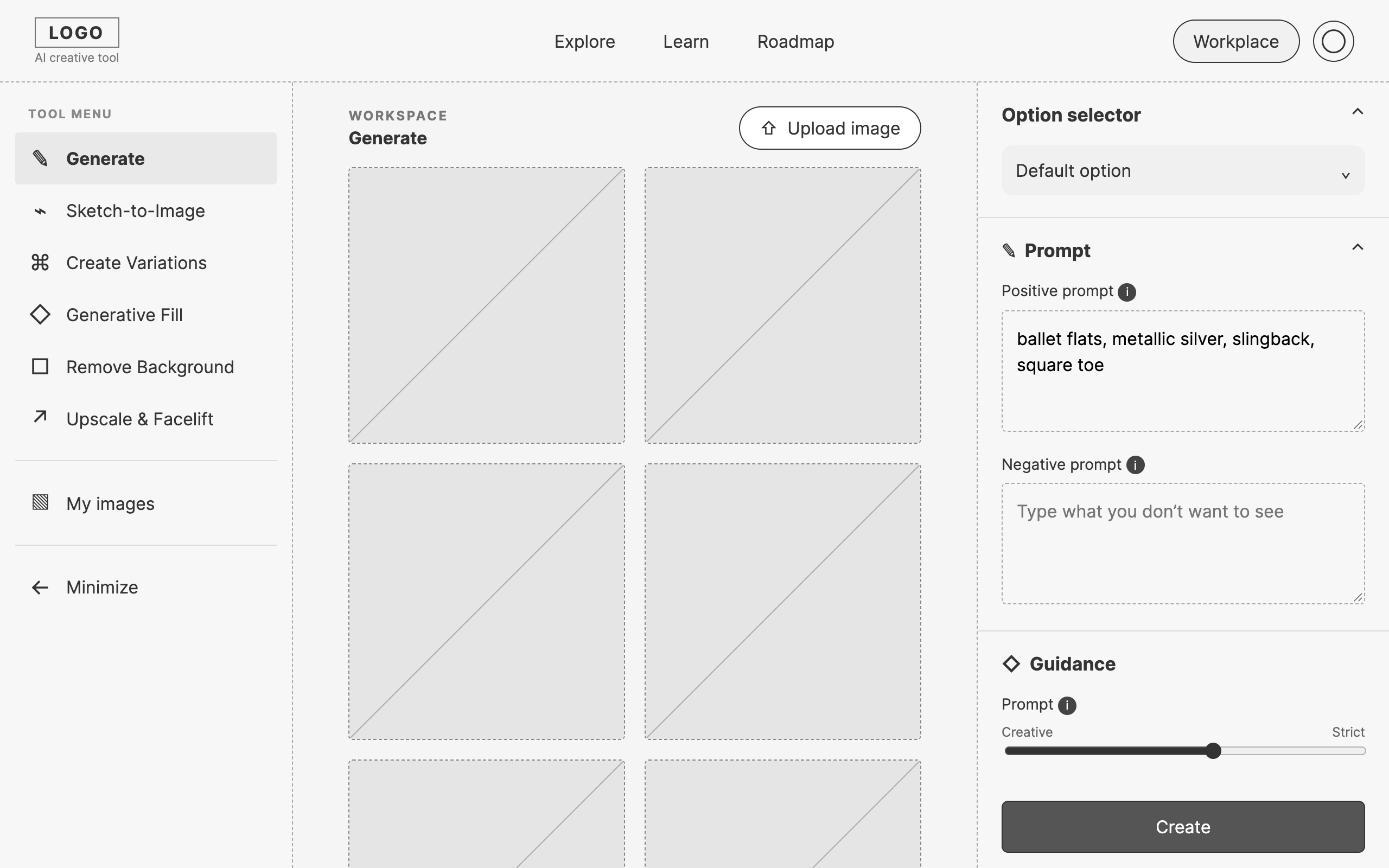
I designed the home screen around a single prompt field: describe a design or upload a sketch, with community prompts to solve the blank-canvas problem.
The workspace pairs generated results with the controls that shape them: positive and negative prompts, model choice and guidance, so designers can see which setting changed the result.
Create Variations generates multiple options from one design, keeping the silhouette while exploring color, material and detail.
What will you design today? I designed the home screen around a single prompt field: describe a design or upload a sketch, with community prompts to solve the blank-canvas problem.
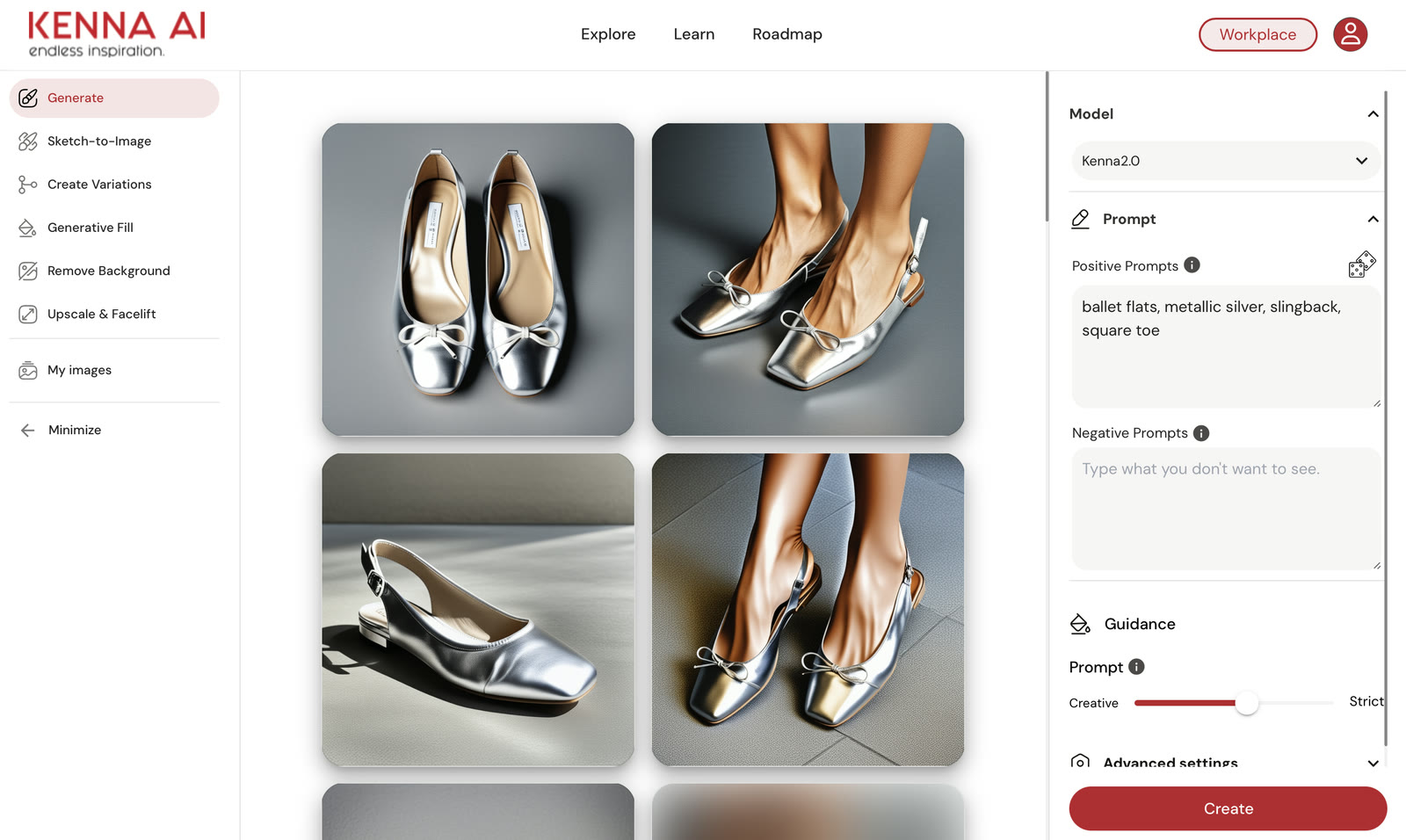
The workspace. The workspace pairs generated results with the controls that shape them: positive and negative prompts, model choice and guidance, so designers can see which setting changed the result.
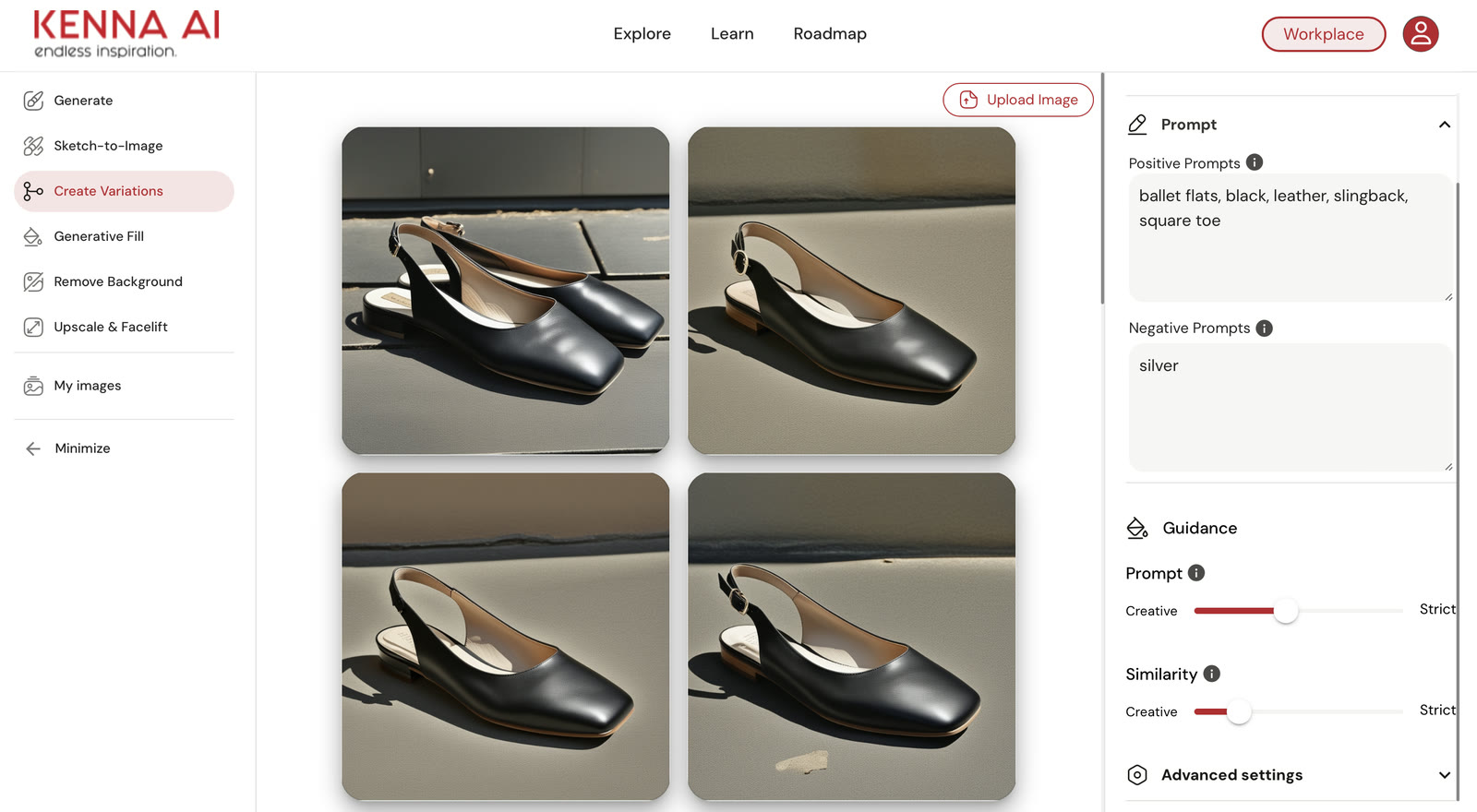
Endless variations. Create Variations generates multiple options from one design, keeping the silhouette while exploring color, material and detail.
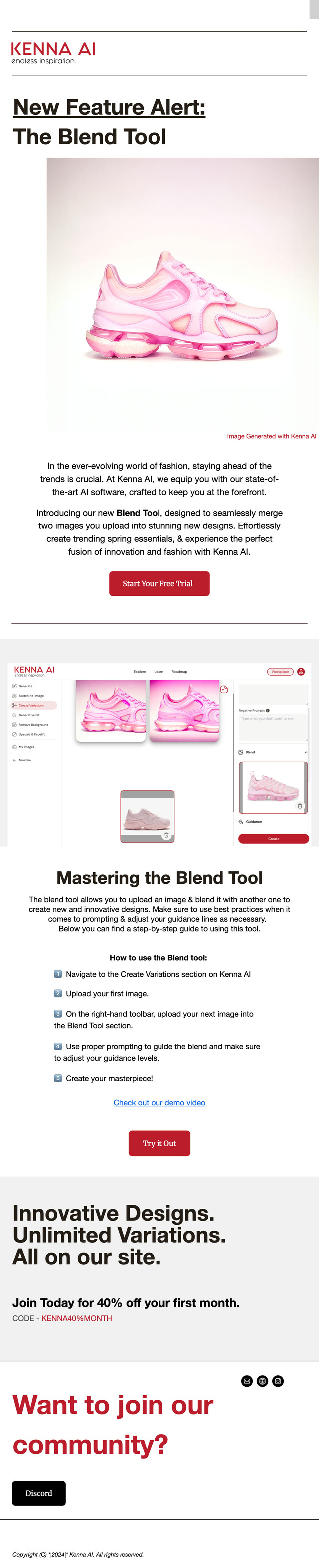
I designed the email program to drive onboarding and feature adoption. Each campaign introduced an AI feature, and every image was generated in Kenna.
User testing after launch showed that our designers loved the platform for two reasons. It was made for them: everything was built around fashion, which most AI tools aren’t. And it was easy to use, with quick prompting that got them from an idea to a design fast.
Kenna taught me how to work side by side with developers, a product manager and a project manager on a startup budget. There was a real learning curve: with tight budgets, we couldn’t build everything I designed, so we prioritized together and shipped only the most important features. It taught me to design with the build in mind.
A year after launch, I audited the product and the competition, and these stood out.
A bot that rewrites a designer's prompt with the detail the model needs, so better results don't depend on prompt skill.
Show what a tool does the moment someone hovers it, instead of a text-heavy Learn page.
Onboard designers on a single key tool first, then broaden, to fix low retention.